Pull Planning Together.
Build the plan with the people doing the work. Keep commitments, constraints and weekly progress in one shared place.
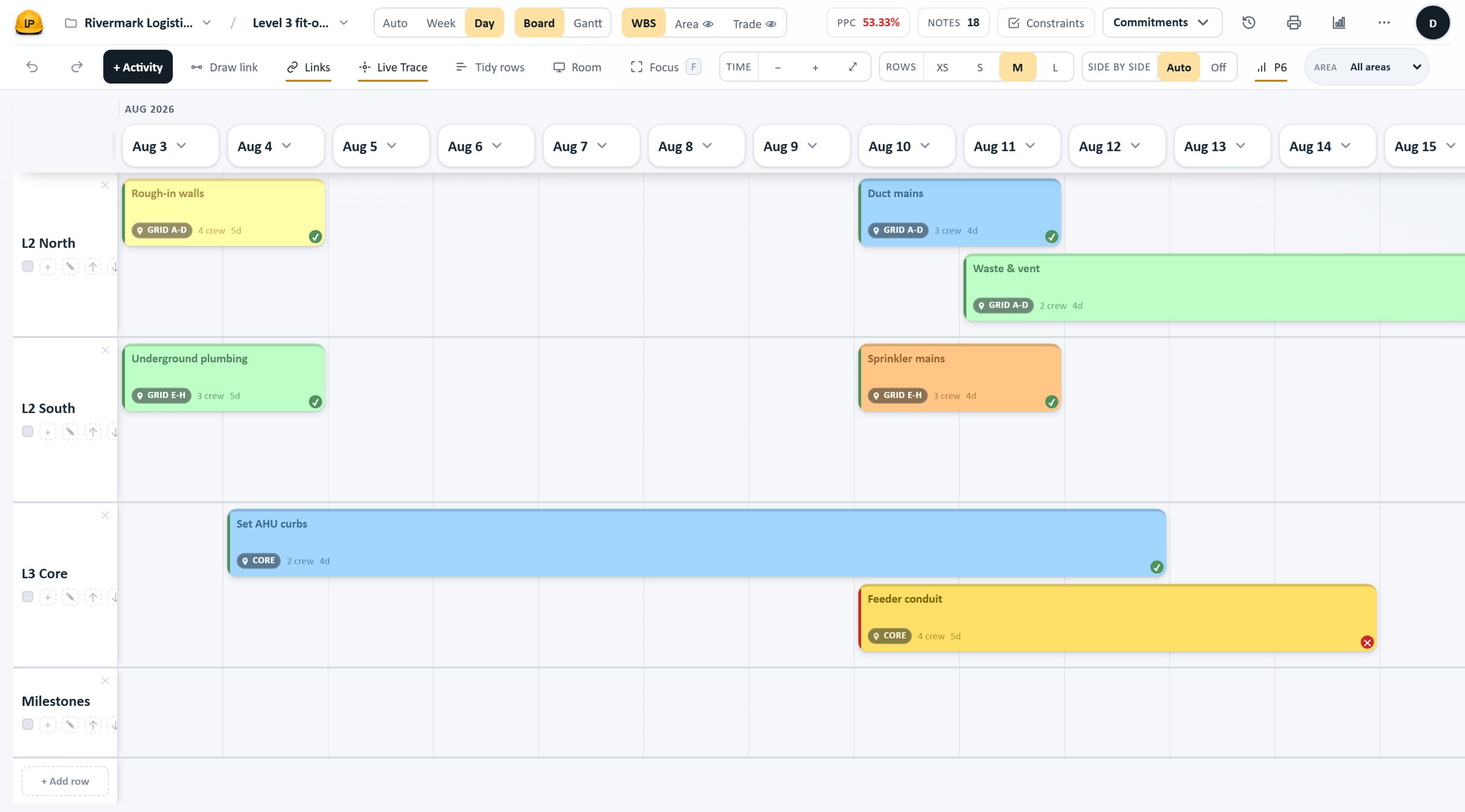
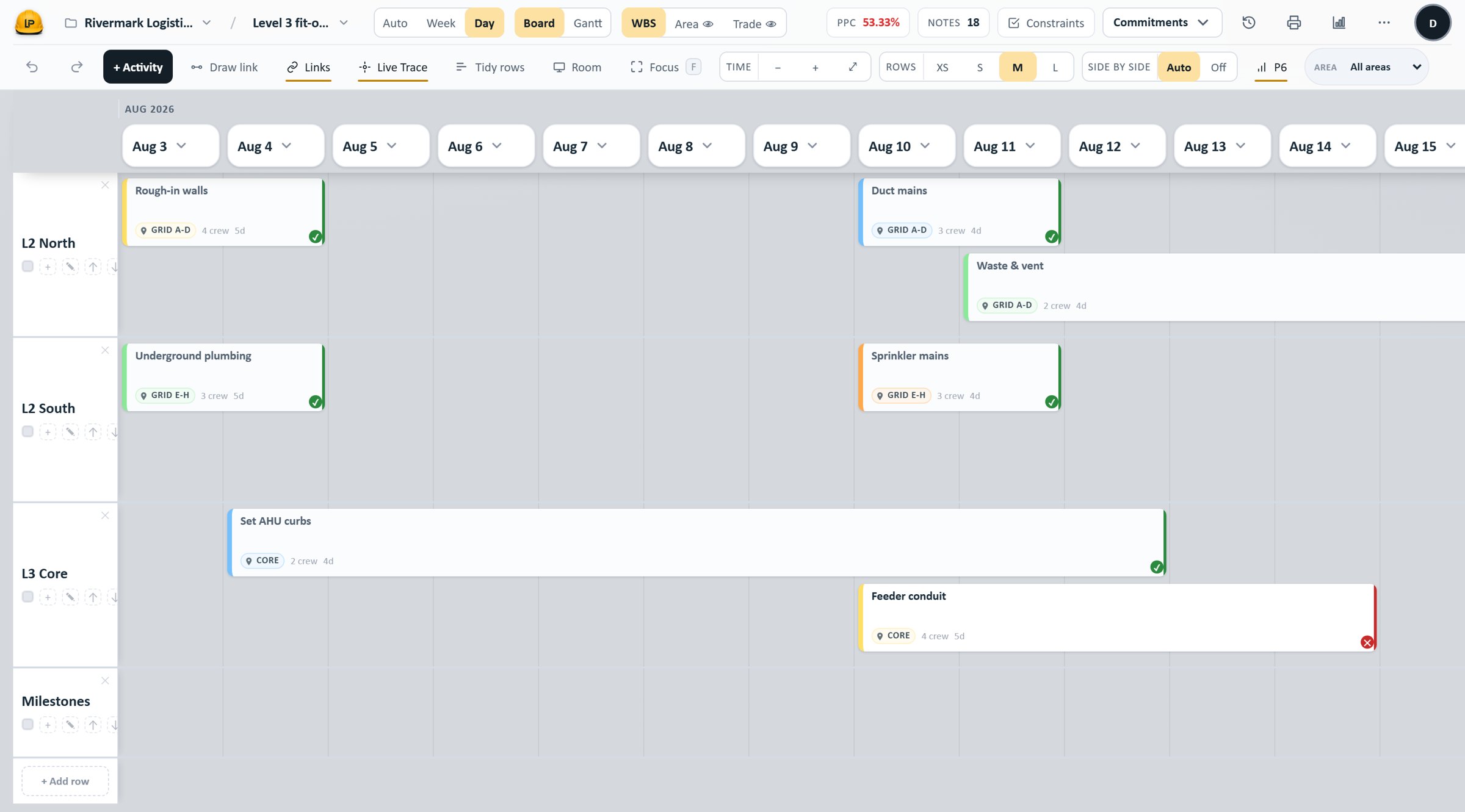
Drag the divider to compare the two ticket styles — the same board, day range and framing. Illustrative demo project data.
See it working
Every plan includes all of it. Nothing here is held back to sell you an upgrade.
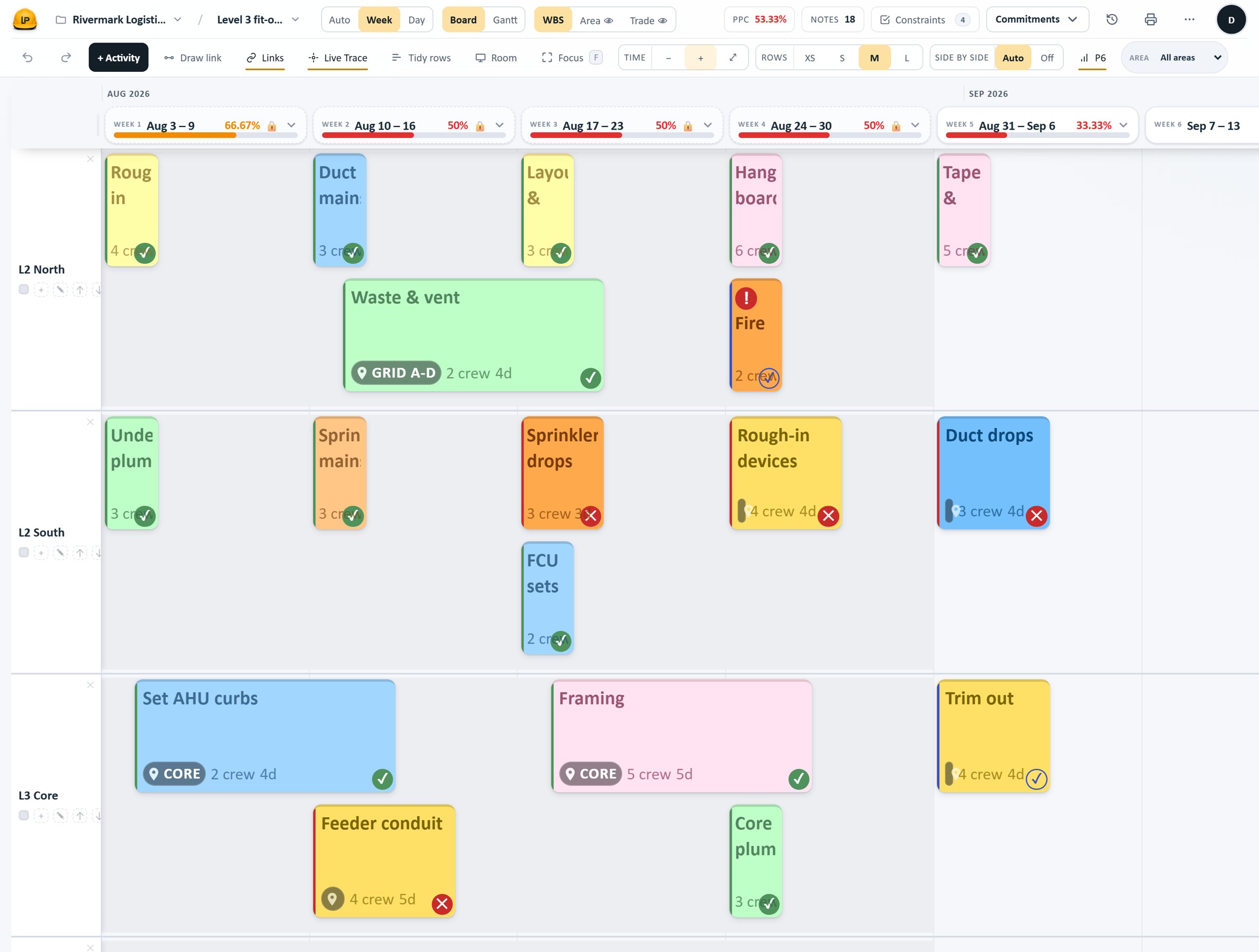
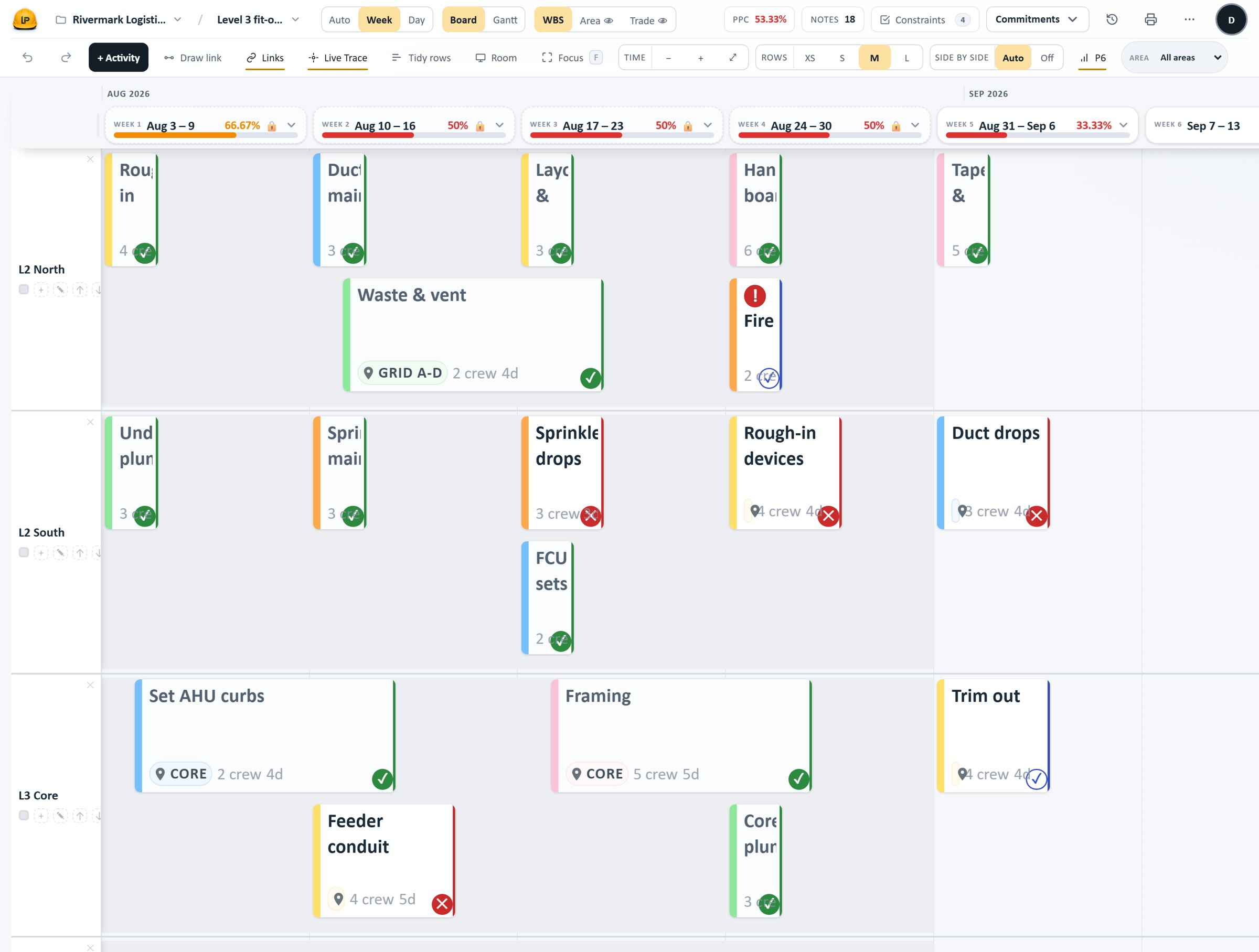
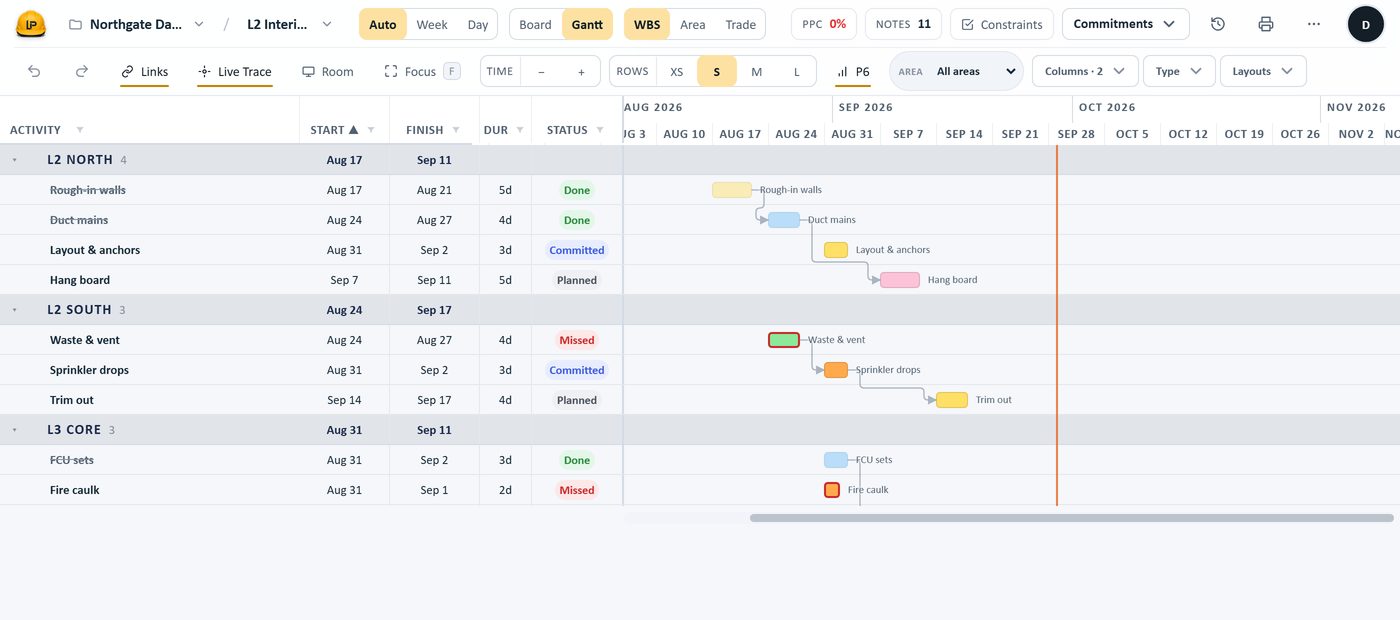
Area rows down, weeks across, trades in colour. Switch the ticket style below: Filled paints the whole card in the trade colour; Ink keeps a white card with a coloured edge — the same board either way.
Illustrative demo project data.
Works with the schedule your contract runs on
Bring a master schedule onto the board, plan with the field, then send progress back — by a file you hand to the scheduler. Each direction is a deliberate step.

Oracle Primavera P6
XML- Import
- The schedule, or one WBS branch, as tickets or reference.
- Export
- The board back as P6 XML, plus a status-update file.

Microsoft Project
XML- Import
- The schedule as tickets — the same pipeline as P6, auto-detected.
- Export
- An MSPDI file carrying the field’s actuals; you open the returned file.

Excel
XLSX- Import
- Planned tickets from a template with this project’s trades and areas.
- Export
- A snapshot of the board to a spreadsheet.
Three things that keep a plan alive past week three
Plan visually. Sequence together.
Everyone drags their own activities onto one board, and the sequence is agreed in the room — not emailed afterward.
- Drag to move, resize a duration, or draw a link.
- Select thirty and set trade, crew or duration at once.
Protect the promise of every week
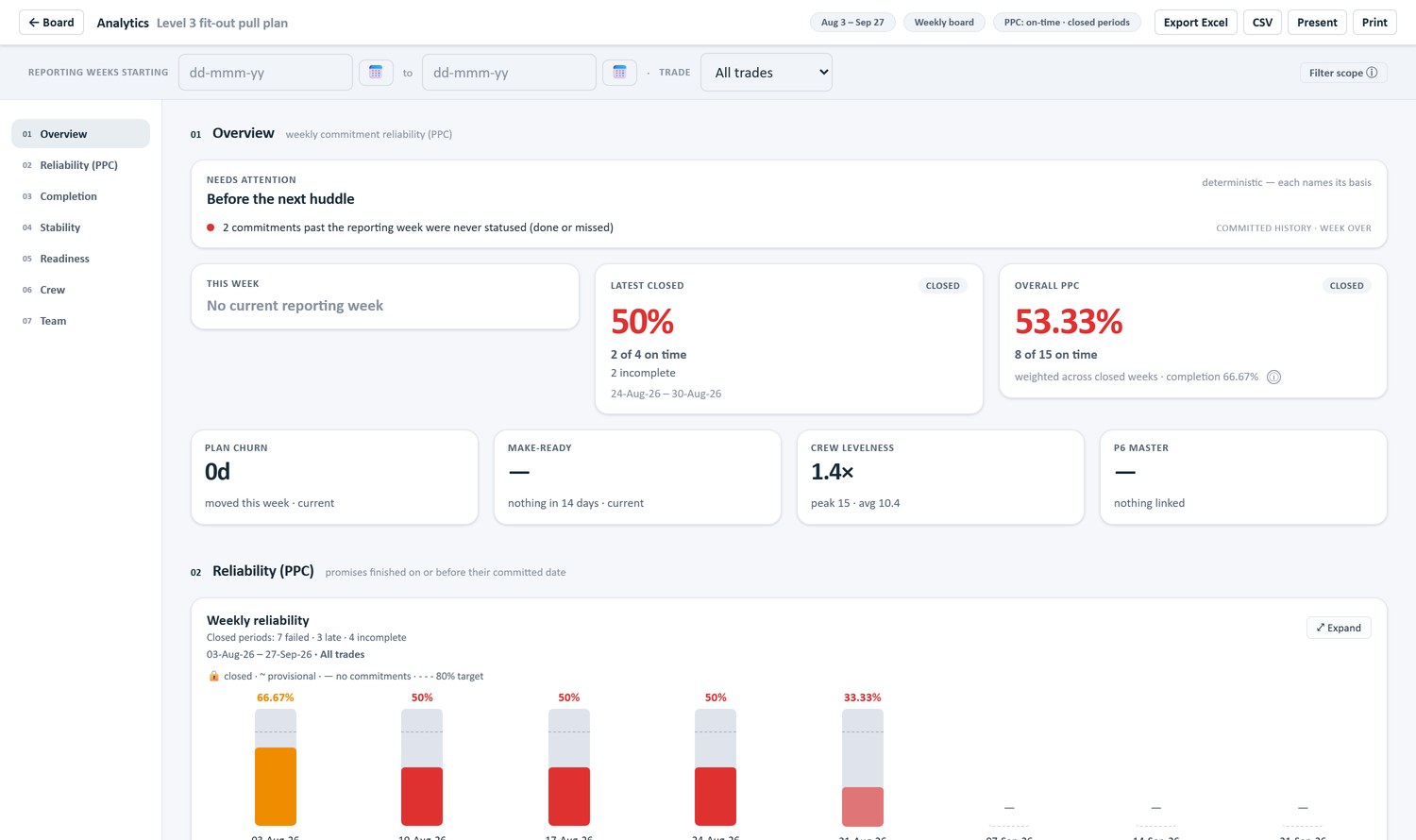
Commit the week, then close it, and the result is frozen — what was promised, what got done, and what did not.
- Every missed activity carries a reason.
- Completion and on-time PPC stay distinct; closed weeks stay frozen.
Make work ready before it starts.
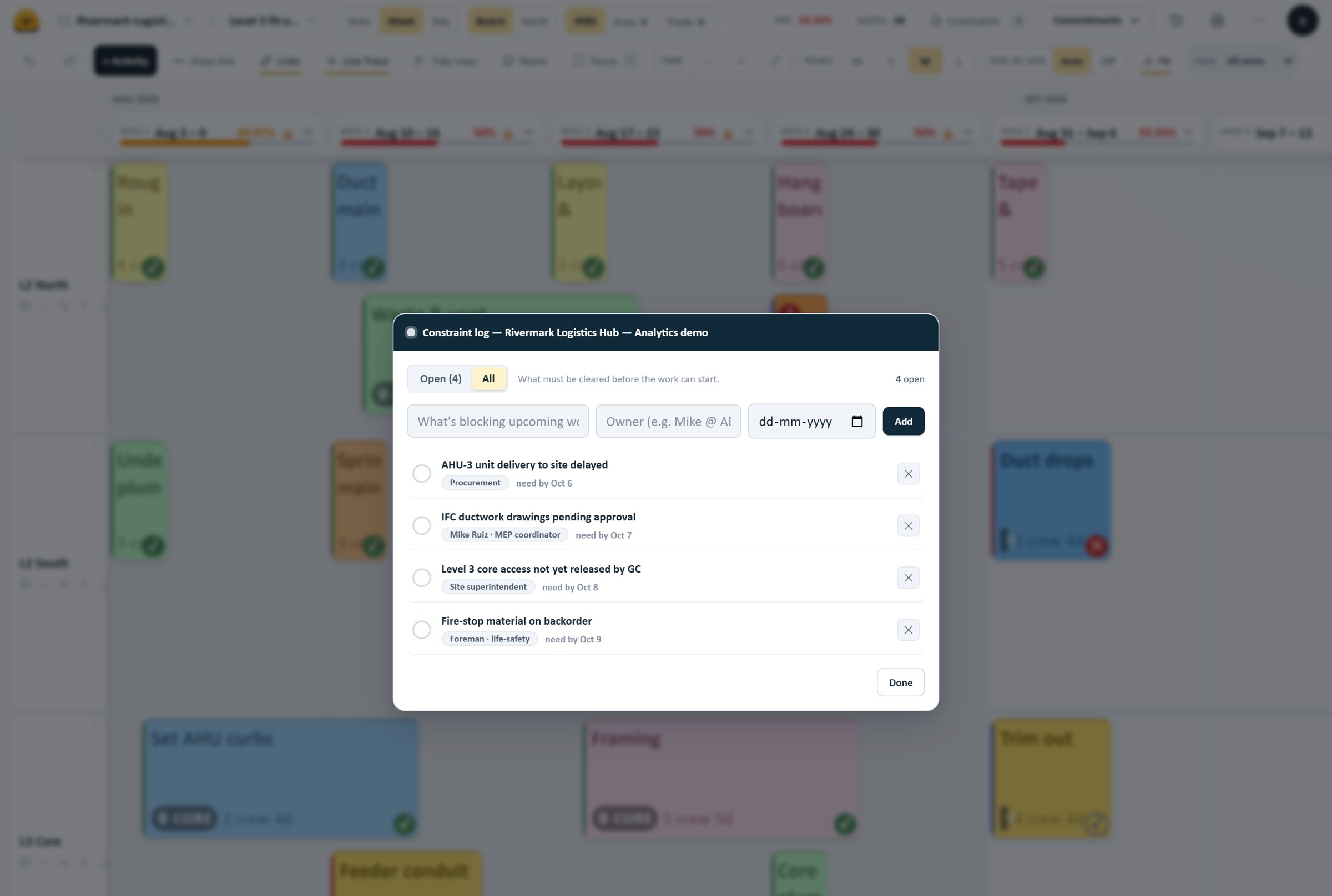
Keep constraints visible so the team knows what needs attention before work begins.
- Log a blocker with an owner and a need-by date.
- An open constraint blocks the commitment until it’s cleared.
Made for every role on the project
From the trailer to the boardroom, Last Plan speaks the language of construction.
Foreman
Marks this week’s tickets done, or missed with a reason, on a phone — no paper, no retyping on Monday.
Superintendent
Runs the weekly pull session on the live board; commitments freeze the moment the week is closed.
Project Manager
Reads on-time PPC and completion by week and by trade, without chasing anyone for an update.
Scheduler
Sends the field’s progress back into Primavera P6 or Microsoft Project — by file, not a line retyped.
Project Executive
Sees each project’s plan-health and its reliability trend at a glance before the OAC.
Owner
Sees the plan tracked honestly — a Percent Plan Complete that no later catch-up can quietly rewrite.
In the app there are three roles — Admin, Planner and Viewer. Plans are priced by planning users; view-only users are included within each plan’s allowance.
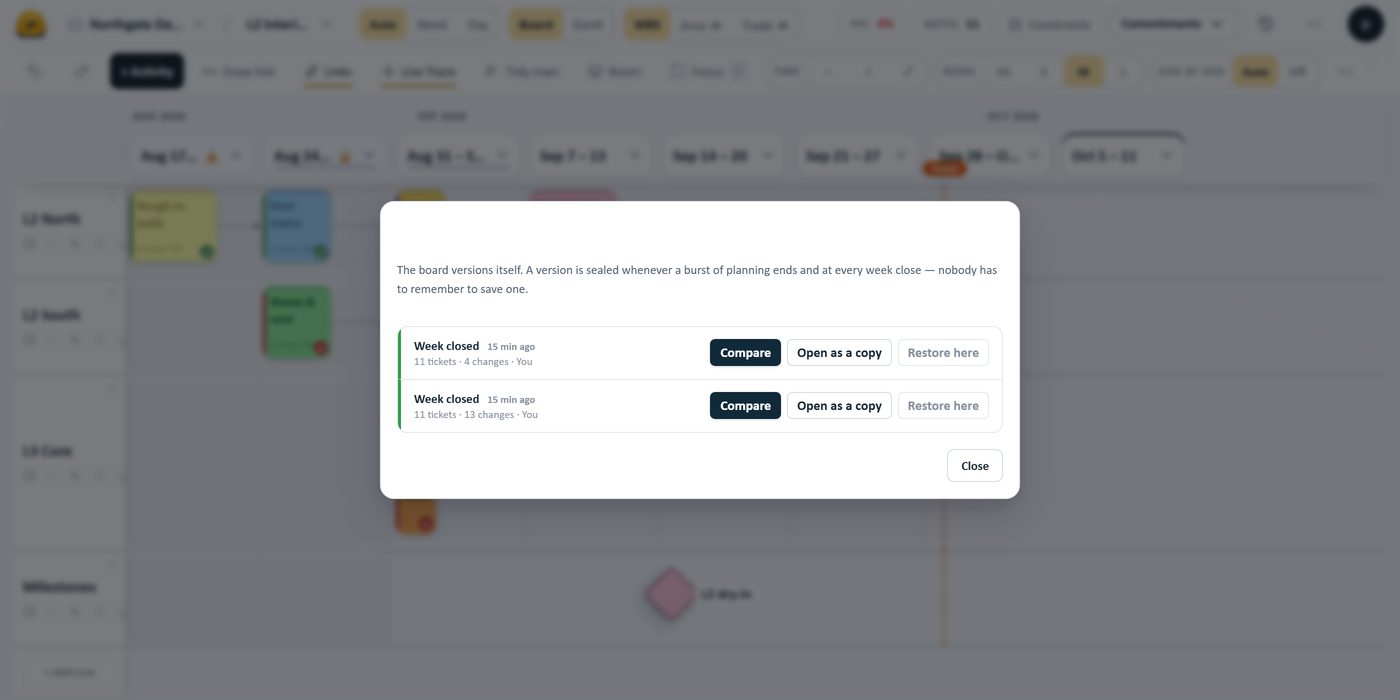
The append-only history behind every closed week. Illustrative demo data.
Built to keep the plan honest
Stop re-creating the plan every week and chasing sticky notes off the wall. Last Plan keeps the team aligned and the record straight — and you can still print the wall.
One product. Priced by project.
All product features included in every plan. Choose the capacity your project needs.
Annual billing is 2 months free. All prices and limits are USD, per project — never per user.
Individual
One planner coordinating a construction project.
per project, per month
- Planning users
- 1
- View-only users
- Up to 20
- Active boards
- 5
Team
Project teams with up to 20 planners.
per project, per month
- Planning users
- Up to 20
- View-only users
- Up to 50
- Active boards
- 15
Project
Larger project teams with up to 100 planners.
per project, per month
- Planning users
- Up to 100
- View-only users
- Up to 200
- Active boards
- 30
Enterprise
Tailored capacity for your organization’s projects.
Contact Sales
- Planning users
- By contract
- View-only users
- By contract
- Active boards
- By contract
View-only users are included within each plan’s allowance. Subscriptions and allowances apply per construction project — the same person taking part in several projects counts separately in each, according to their role.
Questions, answered
Everything you need to know before getting started.
No. It runs in any modern browser on a laptop, tablet or phone. Sign-in is a link sent to a work email — no passwords.
Bring a real P6 export to the call.
Twenty minutes. We import your actual schedule live, plan a week on it, and send the status file back. If it doesn\u2019t survive your job, you\u2019ll know inside the call.
Prefer a guided walkthrough?
A short call: we show you how Last Plan fits the way your project already plans, and answer your team’s questions.
You do not need a demo to start. You can create your project and plan a week on your own, whenever you like. Request a demo instead, and ask for a walkthrough later if you want one.
- A board being planned. Tickets dragged, a link drawn, a constraint logged, a week committed.
- The weekly loop. Statusing and closing a week — the part that decides whether this survives month three.
- Your questions, on your job. And where it does not fit — we will tell you.
Or write to
support@lastplan.io